A look inside my album: Family Portraits

Would you like to take a peek inside my family scrapbook?

The Story

Often our best technical photos don’t have much of a story behind them. If you are doing a home photoshoot with the little one, or even a family portrait session with a local photographer, they can just be pretty pictures.

In these layouts I played with my new supplies, a couple of templates, and some gorgeous photos.

The Layouts

At Three

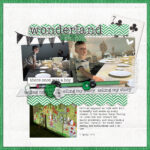
20121109 Emily

I was totally excited to see a paper that reflected Emily’s gorgeous dress (all the was from Vermont) and just used that kit for the rest of the layout once I saw that paper.

Credits Mye de Leon La Boheme (The Digi Files 47), Bella Gypsy Fall In Love
Simple Scrapper October 2012 Template
Photos by Julian Masters

Journalling

This past few months have been a great big adventure for you. You’ve spent your first nights away from home, had a new baby join the family, started wearing glasses and even had an ECG. You are a very brave and adventurous little girl who never hesitates to try a new food, climb up high, stay with family or babysitter, swim or do anything really!I am so happy that you show how much you love Edward by reading him stories, singing to him and talking to him. Daddy and I love that you are so brave.

Perfect Day

perfect day


I just placed twp photos and a journalling card on a blank canvas and journalled on a 30% opaque rectandle. DONE! This was a quick layout, I spent most of my time thinking about what would make a perfect day for me.

Journalling

So many things make a perfect day… A fresh easterly on a summer’s day. A sea breeze before it gets too hot. An afternoon snuggled up with a book. A dinner & games with friends. A story told by Emily. A happy squeal as Edward works out how a toy works.A morning crafting. A weekend painting. A night scrapping. Singing, walking, playing piano. But most of all I love a whole day with you.
Photos by Julian Masters
Supplies by Kerri Bradford

20120203 You


I wanted to scrap about Phill, I had good photos. Simple.

Thankyou for all the time and attention you give us. Thankyou for providing us good life for us. You are able to bring a smile to our faces and we love that you go out of your way to make sure we do.
Supplies Megan Turnidge,  Template Simple Scrapper Feb 2013
Photos by Julian Masters

20120203 Emily at 3

This layout uses the same template as the one above. I was getting kinda tired of all the simple scrapping I’ve been doing lately so I just kept adding to this layout!

I was inspire by Cathy Zielske on this one.

Journalling

Favourite Colour: Pink
Favourite Food: Lasagne, Pies
Friends: Edward, Evie Martin and Penelope Hill
Favourite Song: Twinkle, Twinkle Little Star
Favourite thing to do on the weekend: Play with Daddy
Favourite Place to visit: The Museum (The Erth Dinosaur Show)Favourite thing about Mummy: You turn my house into a school
Favourite thing about Daddy: He stays home when it’s the weekend
Favourite thing about Edward: He makes me laugh
Favourite Book: Dumbo
Favourite TV show: Peppa Pig (But the reply way Bananas in Pajamas, then Dora and Boots – I don’t think she’s ever watched Dora!)

Flergs In bloom
Template Simple Scrapper Feb 2013

What about indoor shoots?

Of course, all these photos above were taken outside and have a more natural look (but are waaay better than my personal photography skills!)

Here’s an idea of how I used a previous indoor photoshoot.
20100104 Emily

I used a font that blended with the flourishes, a simple cluster and frame (with glitter!) and I was done.

Care to Share?

Feel free link up to your layouts in the comments or head to our Digital Scrapbooking HQ Flickr Group where you can add your layouts.

siggy

The top 10 things to do on {inter}National Scrapbooking Day

So it’s {inter}National Scrapbooking Day and there’s a lot going on.

Today, I’m bringing you the top 10 things to do – along with links to all of the fun stuff going on today. [Read more...]

{inter}National Scrapbooking Day Buy One Get One Free

To celebrate {inter}National Scrapbooking Day you can Buy One Get One Free.

Mother's-Little-Helper-Sales

Just purchase my brand new photo retouching class – Mother’s Little Helper for 40% off and you’ll also receive a coupon for $30 to spend on your choice of workshop. That’s $60 value for just $17

[Read more...]

5 Tips for More Practical Digital Scrapbooking

I’d like to welcome Jennifer Wilson from Simple Scrapper today. I value the work Jennifer is doing at Simple Scrapper to help women recapture the joy of memory keeping through practical steps to make scrapbooking fit their lives.

Whether you’re new to digital or an experienced scrapbooker, incorporating more practical approaches can up the satisfaction level as you get more done, easier. Templates are my go-to shortcut, but productivity boosters are not exclusive to page design. You can look at the start-to-finish process of scrapbooking to find practical ideas. [Read more...]

Look inside my Scrapbook: Ballerina

Would you like to take a peek inside my family scrapbook?

The Story

Emily’s been dancing for about a year or so with Southern Cross Academy of Performing Arts here in Perth. I had this recent photo of her all ready for dance, so I thought it was time to document her love and how she wanted to dance ever since she was tiny!

On her second birthday we gave her a tutu – you should take a look the response:

201202 Dance
Journalling: You love to dance and ever since seeing your Aunties in the ballet you’ve longed to have your chance to join in!

Credits: Flergs I love to Dance and in Bloom, Font – my handwriting font from Your Fonts.

I used a very basic design here: an L frame (thanks Noell!). Though I’d like to go back and change the size of the frame and add some more photos of her dancing, it’s done and it’s one more story told.

I am sure I’ll do many more about Emily’s dancing, and getting that first page done, just inspires me to do more.

Care to Share?

I’d love to see a layout or photo you love, you can link up to your layouts in the or head to our Digital Scrapbooking HQ Flickr Group where you can add your layouts.

siggy

Copying Text into Photoshop Elements with the Type Tool

Don’t you love the convenience of having your spelling and grammar corrected before you print your digital scrapbooking layouts?

While Photoshop Elements doesn’t have a spell check feature (Photoshop CS does), you can harness the power of Microsoft Word or another word processor to help you save the slip ups.

But before you get all fancy editing your journalling in Word, there’s a couple of limitations you should know about.

Photoshop Elements doesn’t allow the fonts and colours to be copied into it’s text boxes. BUT you can still customise your fonts and colours within PSE. Here’s how to get flawless and colourful journalling every time.

[Read more...]

How to Shop for Digital Scrapbooking Supplies

Here’s an inside look at the process for purchasing digital scrapbooking supplies.

In this example I am demonstrating with the Sweet Shoppe, but I also shop with

When you arrive at the site, you’ll usually need to look for a link or icon that says shop. You may need to look hard! Sometimes they call the store a different name (Shoppe, Market, Store etc), or the link is hiding in the page design.
[Read more...]

How to change the shape of the Brush Icon in Photoshop Elements

One of my subscribers, Amit wrote with a question last week:

I have lost the shape of my brush Icon.

When I move my mouse over the screen, there is a target and not a round or square shape, what am I doing wrong?
How can I get the shape back?

Great question! To handle this, we need to understand what the brush icons are and how we can change them. [Read more...]

$50 off Photoshop & Premiere Elements 11 today only!

Save $50 off Photoshop & Premiere Elements 11 !

One Day Only! Save $50 on Adobe Photoshop Elements & Premiere Elements Bundle. Enter code: ONEDAYDEAL

Buy today and you can enjoy a new lighter inteface, much improved Organizer text on a path, quick photo fixes, masking and more. PLUS you’ll have the Premiere Elements video editing software too. So you can share your home videos online or burn them onto DVD, or even try your hand at motion scrapbooking.

Want to learn more about PSE11? Check out my video review.

This sale ends midnight 18th of February so jump on it now!

If you buy using my links you’ll be helping support this website and the workshops I provide!

Sorry international readers, this offer is only available in the US Store

siggy
PS Got PSE? Save $30 on Adobe Lightroom 4. Enter code: ONEDAYDEAL

Clip your Paper or Photo to Any Shape in Photoshop Elements

Inside this video, I’ll show you my absolute favourite scrapbooking technique that I used in every layout I create: Clipping masks.

Clipping masks are a non-desctructive way to ‘cut out’ your photo. Plus it’s the easy way to use a digital scrapbooking template.

You just lay your photo or paper on top of a layer that you want it to clip to.

Then use scrapper’s best friend – the clipping mask command to clip your paper or photo to a shape in Photoshop Elements.

  • The shortcut is Ctrl+G (or Command+G on a Mac)
  • Or go to the Layer menu and click create layer mask

For Photoshop CS – the keyboard shortcut is Ctrl+Alt+G (or Cmd+Option+G on a Mac)


wk21-clip-teaser

Do you know how to clip, mask and blend?

No, it’s not a new dance move, these commands are the basics of creating creative pages in Photoshop.

The terms are often confused and misused, and a couple of them are often used in a context that’s confusing.

  • Did you know that it took me hours of trial and error before I could remember how to cut out my photo to fit a shape in my layout?
  • How are you supposed to blend a photo into a background paper if the blend modes don’t actually blend?
  • What does a mask do? Why doesn’t the eraser work to rub out my mask?
  • Would you like to have more artistic layouts with photos fitting perfectly into their place, or blended into the background?
  • How about creating a custom background with a photo?

February’s workshop will introduce you to the concepts of clipping masks, layer masks blend modes and more.

But don’t stress, I will be staying true to my plain English promise and I’ll break it down for you step by step, and the cheat sheet will be your quick reference guide

Join me in as I demystify these terms, and how you can best use them to achieve the look you want.

I’ll show you how to:

  • Clip a photo/paper to a shape - to make templates a breeze
  • Mask out parts of your image - to hide a messy background, or blend a photo and paper together
  • Use blend modes - achieve an artistic effect with your photos

This workshop includes:

  • Access to the live workshop (24th February 8:30pm EST/25th February 9:30am West Aussie Time) to ask your questions
  • High Definition recording of the workshop
  • All the links and handouts mentioned in the workshop

Just $30 today

Related Posts Plugin for WordPress, Blogger...