Digital scrapbooking uses terms from graphic design, paper scrapbooking, and art. Here are explanations of a few key terms:
Alpha
An alphabet made up of PNG files, one for each letter
Layout
Refers to the whole scrapbooking page
Embellishments/Elements
PNG files that looks like a flower, ribbon, button or other decoration for your layout
Flatten
To remove all the layers within the file to prepare a layout for printing. Make sure you save your work before doing this! Then save the resulting file as a JPG.
JPG
A file format set up by the Joint Photographic Experts Group (JPEG). A compressed file format that is used for uploading photos. JPEG compression has a number of different compression rates. Use the highest quality level (low compression) for uploading for printing, and lower quality (higher compression) for uploading to galleries for viewing on screen. (More about jpgs here)
Paper
A JPG file that looks like scrapbooking pattern paper or cardstock
Photobook
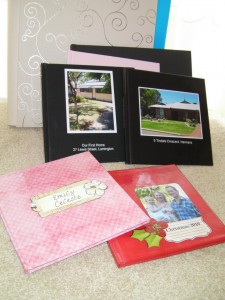
A professionally printed book made from photos or your layouts
Place
The command in Photoshop Elements that creates a smart object so that your image can be resized multiple times without losing quality. Look for it on the File Menu.
PNG
Portable Network Graphics file format. Used for embellishments in digital scrapbooking. (More on PNG here)
PSD
Photoshop Document file. PSD files retain layers and can be edited later. More on PSD files here.
What did I miss? Let me know the terms that confuse you in the comments below.
Happy Scrapping!

I am an Amazon affiliate so may receive a commission if you make a purchase.


Thanks!