New Version!
If you are using Photoshop Elements 13 or newer, this is the class for you! Get Organized: Supplies 2018
If you are using Photoshop Elements 10 or earlier, read on below.
Get Organized without Converting, Moving Files or Buying Software
- Do you have piles of digital scrapbooking supplies?
- Do you have a mess of folders on your computer?
- Do you want to get organized quickly?
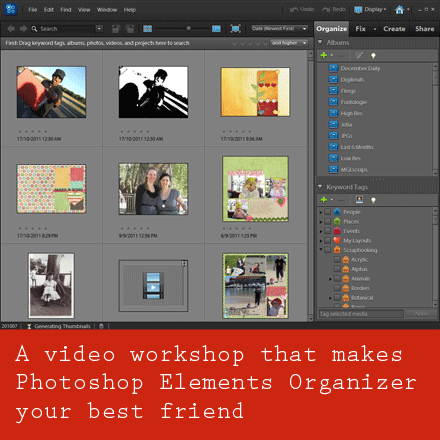
Join me to SUPERCHARGE your supply organization.
You will learn:
- Simple ways to organize your supplies - saving hours of your time!
- How to import your supplies into Photoshop Elements Organizer
- Time-saving, ready-made keyword tags to download
- Fast searching techniques that will help your complete layouts with the perfect supplies in no time!
This workshop includes:
- How to organize your digital scrapbooking supplies in Photoshop Elements Organizer
- All the links and handouts mentioned in the workshop
- BONUS Introduction to Photoshop Elements Organizer PDF
All this for just $20
If you have already got a Digital Scrapbooking HQ login - please LOG IN NOW
Sneek Peek
What people are saying:
Ready to get (and stay!) organized for the last time?
Buy today for just $20
If you have already got a Digital Scrapbooking HQ login - please LOG IN NOW
I can't wait to help shave hours of your scrapbooking workflow!

FAQs
Why learn with Melissa?
Melissa Shanhun is an accomplished digital scrapbooker, a True Scrap 3 instructor, and a natural teacher. She’s known for her ability to simplify complicated steps so anyone can create fantastic results!
- Lain Ehmann
 I’m Melissa Shanhun, Australia's favourite digital scrapbooking educator and owner of Digital Scrapbooking HQ where I answer your digital scrapbooking questions with video tutorials, one-on-one classes and free online workshops.
I’ve been using my computer to create beautiful things for about 15 years now. I've spent 10 years working in graphic design using a variety of software systems including Photoshop and Photoshop Elements. I’ve also taught a University unit on presentation systems and graphic design for the past few years.
I’ve been focusing my skills on digital scrapbooking since October 2007, and I've been teaching in person classes in Perth, Western Australia since 2009. In 2011 I launched Digital Scrapbooking HQ, where I’m creating a unique system where you can get your Photoshop questions answered and you can use your computer to do what you want it to!
My work has been featured at The Daily Digi, Scrapbookgraphics, and the Daily Scrapper and was published in the 2012 Log your Memory Weekly Challenge Book. I’m currently on the team for Wendyzine Scraps and Ella Publishing.
What others have to say about Melissa
Don't take it from me, I have dozens of happy scrapbookers who love their finished pages...
"I just wanted to say that you have a great voice and energy to your tutorials. You make everything sound uncomplicated and easy to accomplish."
- Juanita M-S
Can I view the workshop at any time?
Yes 🙂 All the lessons are online and viewable 24/7.
How long do I have access to the videos?
You have ongoing access to the recordings, available as long as Digital Scrapbooking HQ is around! There's no time limit.
How do I see the videos?
When you purchase the Primer you will be taken through the registration process, and you'll receive an email with a link to the page. Problems? Email me help@digiscraphq.com
Can I watch on my iPad?
YES! The videos will play on your iPad.
I don't have the latest version of Photoshop Elements. Will this be useful to me?
Yes! If you have PSE 6 or newer on Windows or PSE 9 or newer on the Mac, you'll be able to get a lot of value out of this workshop.
- Effortless Organising: Supplies is recorded in PSE10 and will work for PSE6 or newer on Windows and PSE9 or newer on the Mac
Your Guarantee
 30-day money back guarantee:
Click the add to cart button to purchase this class.
If you have already got a Digital Scrapbooking HQ login - please LOG IN NOW