Get your photos onto your pages with bite-sized videos and step-by-step instructions
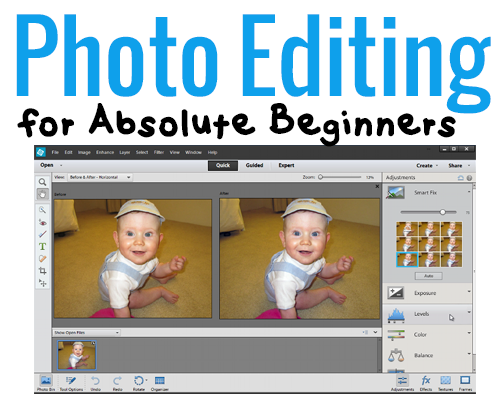
Have you got a copy of Photoshop Elements on your computer that is gathering dust?
Have you tried following tutorials only to find they assume you know which panel is which what, and what all the names and icons mean?
Do you just want to print a photo, but no one will give you a straight answer on how to do it?
I hear you!
Photo Editing for Absolute Beginners answers the most common questions that new Photoshop Elements users ask me. Straight to the point, using the simplest method that will get you in and out of Photoshop Elements in a couple of minutes.
You'll learn how to:
- Find your way around the Photoshop Elements workspace - so you can find the tools and commands you need
- Open a photo in Photoshop Elements - and save it so that you can't ruin your original
- Edit a photo in quick mode - and improve the look of your photos
- Crop a photo for printing - so you get the whole subject in the frame
- Add text to a photo - tell your story or make a postcard
- Save a photo for printing online - so the prints look the best they can
- Print at home - on photo paper of ANY size
- Print multiple photos on a 4x6 - a cost effective way to get your smaller prints for pocket scrapping
You’ll gain the confidence to work on your own - even if you are brand new to Photoshop Elements
Photo Editing for Absolute Beginners
Usually my Photoshop Elements video classes retail for $30.
But since I want you to be able to start today, I wanted make sure this class something anyone can afford.
This class is a steal at just $12!
Click the add to cart button to buy now
If you have already got a Digital Scrapbooking HQ login please LOG IN NOW
What you’ll receive for just $12:
- 7 videos that show you the very basics of photo editing Photoshop Elements - straight and to the point!
- Full-color PDF handouts that walk you step-by-step through each tutorial - keep them handy for future reference.
- Interactive comments below each video and email access to me so that you can get specific help if you need it - sometimes you need extra help!
Why Learn with Melissa?
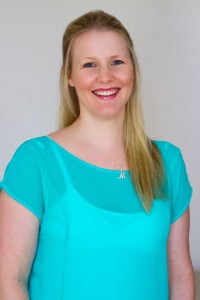 G'day I’m Melissa, Aussie mum and digital scrapbooker. I’ve been using my computer to create beautiful things for about 15 years now.
At Digital Scrapbooking HQ, you'll find a videos and tutorials that will answer your Photoshop Elements questions. Finally, you can make your computer to do what you want it to!
I've been a scrapbooker for 10+ years, educator and Adobe Photoshop Elements expert. I've been running online and in-person live workshops for three years (30 workshops so far!) and will ensure that you get a lot of learning packed into each video.
Melissa was able to provide a simple solution to something I’d spent three years getting frustrated over. This was money well spent!
- Sue W.
I've had a version of PSE on my computer for years and I just learned more in an hour than I have in four years. THANK YOU!!!
- Lorna S.
I really want to move forward with PSE, and you have given me the courage to do so... I think I will stick with you for additional training in this software!
- Renee T.
You make everything uncomplicated and easy to accomplish.
- Juanita M-S
FAQ
What's inside?
- 7 high definition videos that shows you step by step how to start using Photoshop Elements (recorded in PSE12)
- Step-by-step handouts for future reference.
- Email access to me for any questions you may have.
Can I do the class at any time?
Yes 🙂 All the videos and handouts are online and available 24/7.
How long do I have access to the class?
You have ongoing access to the class, it's available as long as Digital Scrapbooking HQ is around! There's no time limit.
How do I see the videos?
When you purchase Photo Editing for Absolute Beginners you'll walk through a registration process to and your class will be on your welcome page. Problems? Email me help@digiscraphq.com
Can I watch on my iPad?
The class videos will play on your iPad, tablet, Mac or PC
I don't have the newest Photoshop Elements. Will this be useful to me?
Yes! If you have Photoshop Elements 2018 or newer on Windows or Mac this class will suit you perfectly!
Which payments do you accept?
You can pay via PayPal or use PayPal's secure credit card processing system if you prefer to pay via credit card.
What if I'm not sure it's for me?
30-day money back guarantee:

P.S.
I know you’ll be thrilled with the class I have prepared for you. Photo Editing for Absolute Beginners videos and handouts are available online 24/7. No physical products are shipped.
Start editing your photos today
Click the add to cart button to buy now
If you have already got a Digital Scrapbooking HQ login please LOG IN NOW