RadLab simplifies photo effects. Intuitive browsing and a powerful new rendering engine combine to give you easy, unparalleled control. Think in pictures, not numbers. Retouching images just got a whole lot more fun.
$50 off Totally Rad’s RadLab until 16th May
Digital Scrapbooking Shortcuts, Styles and Scripts
Frustrated as a slow scrapper? Want to be more comfortable in Photoshop Elements? I can help!
- Want to scrapbook more quickly?
- Want perfect photobooks every time?
- Tired of resizing to share online?
- Wish you knew all the insider shortcuts?
Join me to learn about shortcuts, scripts and actions that will get you finishing pages in no time!
This workshop includes:
- Keyboard shortcuts
- Efficient workflows
- Using actions, scripts and styles to create pages faster
Workshop Recording
Podcast: Play in new window | Download (93.9MB)
Watch the Scrapbooking Secrets Workshop now
You can watch the video in full screen mode: Click to start playing the video – then you can click on the far right button (4 arrows outwards
). See them in all their glory and actually be able to read the text and see what I am doing!
Handouts and Resources
- Workshop 13 Slides (PDF)
- Digital Scrapbooking Keyboard Shortcuts (PDF)
- Introduction to Digital Scrapbooking (PDF)
- Your Shutterfly photobook coupon will be emailed to you within 2-3days of purchase
- BONUS Freebie from Wendyzine - Scrap It action 1

Questions?
Email me at melissa@mshanhun.com with your questions and feedback. I’m ready to help!
Want to Learn More Today?
You can purchase other workshops. Including:
- Using a Digital Scrapbooking Templates - get started digital scrapbooking the easy way
- Using Memorabilia on your Digital Scrapbook page – step by step through 2 ways to add real life stuff to your layouts!
- Photo Fixes for Real People - quick fixes for your photos in Photoshop Elements
- Cards and More - gifts using your digital scrapbooking supplies. See me create a Hybrid Card live!
- Digital Scrapbooking Secrets - stamp, cut, mist and ink your digital pages with this hour long workshop and 7 bonus videos
- Organising Your Digital Scrapbooking Supplies - get your supplies organised and tagged in hours, not months!
Photo Fixes for Real People
Layout a Day in May

Do you want to get your week in the life scrapped?
Do you have a long overdue project you’d love to finish?
Do you want to challenge yourself?
Then Layout a Day is for you!
May’s Layout A Day event will challenge you on all levels of our scrapbooking with design, photography, journaling, color schemes, topics, process, and more — but not all at once, silly goose! Each day will bring a new challenge and a new chance to push your scrapbooking a bit further. At the end of the month, you’ll have a stack of layouts you adore as well as a new sense of what YOU can do in your scrapbook albums!
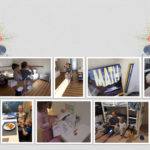
In February I completed my first ever Layout a Day – and look at what I made:
I worked on several projects that I had laying around on my hard drive and a few pages inspired by the daily prompts, and at the end of the month I was thrilled with the 29 pages I’d created – plus I made some connections with other awesome scrapbookers.
Digital Scrapbooking Primer: Using a Template
Do you want to learn how to create a digital scrapbook page the easy way?
Today I’ll share with you how I created this layout from a digital template.
For this layout I’ve used: Simple Template Album Template 3; Peace on Earth by Flergs and Eva Kipler available at Scrapbookgraphics; Happy Hollydays and Happy Hollydays Add on Paper Pack by Karen Lewis Designz; Fonts: Melissa’s Hand [Read more...]
50% off Photoshop Elements 10 today only!
Photoshop Elements 10 is half price!
One day only – 50% off Premiere Elements 10 with promo code ELEMENTS50.
So for around $50 you can enjoy text on a path, quick photo fixes, masking and more. Want to learn more about PSE10? Check out my Photoshop Elements 10 Review here.
This sale ends 15th of April so jump on it now!
If you buy using my links you’ll be helping support this website and the free workshops I provide!
Sorry international readers, this offer is only available in the US Store
Last day to save on Scrapbooking Shortcuts Workshop
Today is the last day to get the special free photobook offer with this workshop – so buy now and save $29!
Frustrated as a slow scrapper? Want to be more comfortable in Photoshop Elements? I can help!
- Want to scrapbook more quickly?
- Want perfect photobooks every time?
- Tired of resizing to share online?
- Wish you knew all the insider shortcuts?
Join me to learn about shortcuts, scripts and actions that will get you finishing pages in no time!

Introductory Offer – Limited time only
Buy before April 4th and receive Scrapbooking Shortcuts + Shutterfly book
- Scrapbooking Shortcuts – today’s workshop
- BONUS 20-page 8×8 inch Shutterfly book (usually $29.99) for the first 20 purchasers
All this for just $20
Scrapbooking Shortcuts Workshop
Frustrated as a slow scrapper? Want to be more comfortable in Photoshop Elements? I can help!
- Want to scrapbook more quickly?
- Want perfect photobooks every time?
- Tired of resizing to share online?
- Wish you knew all the insider shortcuts?
Join me to learn about shortcuts, scripts and actions that will get you finishing pages in no time!

Just $20
Scrapbooking Shortcuts: Register now!
Do you know what Ctrl+[ does?
How about Ctrl+Alt+Shift+E?
Want to take your scrapboooking productivity to the next level?
Join me for Scrapbooking Shortcuts!
There's just a couple more days to register for my March workshop... you don't want to miss it. As I' m presenting at True Scrap will be on in April, and our second baby is due in May, it will be a few months before I have another FREE workshop for you all to attend.
We've already got over 60 scrapbookers registered, so why not join us!
I can't wait to see you there!

Frustrated as a slow scrapper? Want to be more comfortable in Photoshop Elements? I can help!
March Free Workshop: Scrapbooking Shortcuts
- Want to scrapbook more quickly?
- Want perfect photobooks every time?
- Tired of resizing to share online?
- Wish you knew all the insider shortcuts?
Join me to learn about shortcuts, scripts and actions that will get you finishing pages in no time!
Date: Sunday, March 25
Time: 9:30 PM - 10:30 PM (Eastern Time) (view and register in your timezone)
Please note due to the fact I'm in Australia, if you don't change the timezone the event will appear on the 26th March.
Cost - Free!
[Read more...]
Jen Weber: Best Photo Forward
Podcast: Play in new window | Download (9.8MB)
Jen is a creative type who has been stitching since she was about five years old. After she and her husband Mike started designing cross-stitch patterns, they’ve been publishing them selling them throughout the USA. They launched their own website FunkandWeber.com a couple of years back.
Jen talks with me about her creative journey and the exciting workshop we have coming up on the 20th of March.
Plus she share her top tips for maintaining your creativity.
Listen now:
Podcast: Play in new window | Download (9.8MB)