I'm so excited to be featured on This Memory Keeper's Life. You can hear the interview here.
Debbie Hodge's podcast is such a joy to listen to weekly, she chats with a scrapper from somewhere around the globe. There will be some new names and some you may have heard before, but it's always interesting to hear how everyone finds time for their favourite hobby.
I've included some links and information about what we chatted about in the interview.
My blog
I blog at http://blog.mshanhun.com.
I post photos, mummy musings, Take 12, December Daily, Week in the Life or One Little Word posts. I'd love you to come over and meet me there.
You can see a video walkthrough of my first paper scrapbook album there!
Baby Books
Here's a walk through of Emily's baby book.
I created the pages using templates and Photoshop Elements printed it using Shutterfly.
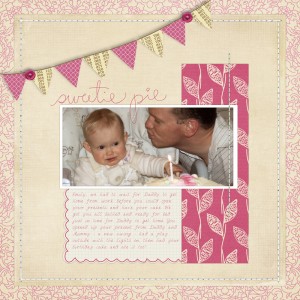
Credit: Template and Products by Erin Ink
Want to create your own beautiful album? You can buy my set of 31 templates along with all the tutorials you need to get started.
Click here to view this photo book larger
Here's Edward's page:
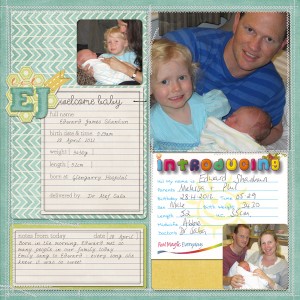
With Karen Lewis Designz Silly Billy Kit and Biograffiti template.
How to get started
If you are looking at starting digital scrapbooking...
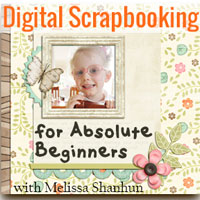 I'd recommend you pick up my Digital Scrapbooking for Absolute Beginners. It includes video and PDF handouts to get you started.
I'd suggest using a freebie kit or two to get started. Otherwise you could spend hours shopping! There's lots of cool kits out there. My favourite designer is Flergs - she has freebies here: and at her Facebook page.
Then you have a great starter pack.
Thanks so much for visiting today - feel free to browse my tutorials for more inspiration.
It's been great to meet you!
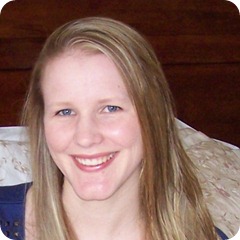 Melissa
I am an Amazon affiliate so may receive a commission if you make a purchase.
This post contains affiliate links. This means that if you click through that link and purchase an item, I may receive a commission for referring the sale.
I only recommend classes and products that I know and trust. Thank you for using my link if you decide to purchase.
Melissa Shanhun is a participant in the Amazon Services LLC Associates Program, an affiliate advertising program designed to provide a means for me to earn fees by linking to Amazon.com and affiliated sites. As an Amazon Associate I earn from qualifying purchases.


Hi Melissa, just watched your video on Emily’s baby book and I am impressed, I have to confess I was never sure what to do once I had created a digital page and had never seen a digital album completed and printed, so thanks very much for the video, Gill
Gill – I’ve actually for 5-6 albums printed now. It’s so much fun to have them in your hands. Would you be interested in seeing the other albums too?
http://www.youtube.com/watch?v=Ty4hIcbenf8&feature=plcp