I've been busy creating a lot of content for our new Digital Scrapbooking Primer (DIGITAL SCRAPBOOKING PRIMER IS NO LONGER AVAILABLE. CHECK OUT DIGITAL SCRAPBOOKING FOR ABSOLUTE BEGINNERS) and the website, but I've still had a chance to do a bit of scrapbooking too. Here's what I've been up to.
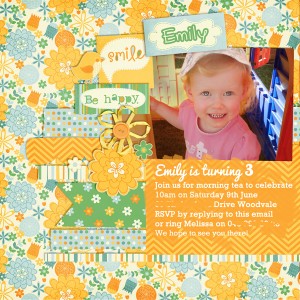
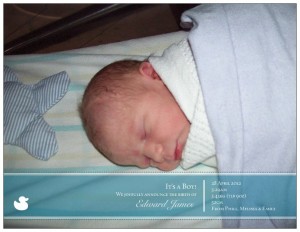
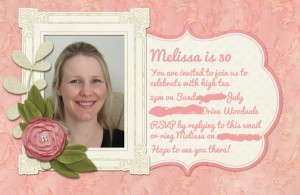
Baby Announcements Invitations
With a birth, a third and a 30th birthday since April, I've been busily creating some invitations, announcements and party decorations with my scrapbooking supplies. Here's a sampling...
 Week in the Life
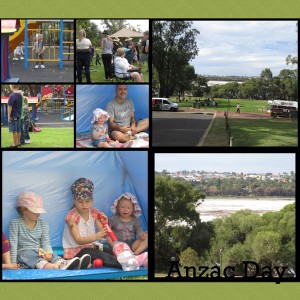
I'm making progress on my Week in the Life albums from 2011 and 2012, thanks to Photoshop Elements and the handy photo collage feature.
I find that having all my photos together in a mosaic can form the basis for a speedy scrapbook page. Learn how to do it:
I'll be sharing a tutorial on this soon.
Shutterfly Photobook
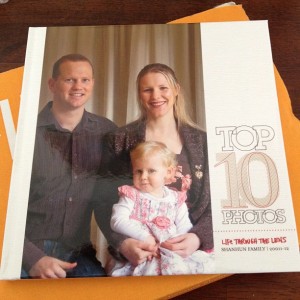 I just received my Shutterfly photobook in printed form - I just love it!
My Top Ten Photobook was a super easy project that took me less than three hours from woe to go. I selected my photos, jotted some journalling ideas then used the awesome Ali Edwards design at Shutterfly to create a stunning book.
Want to see how I did it?
Check out my Photobook Perfection Workshop
If you want to see how I made it - check out my workshop where I walk step-by-step through creating this book:
Create Gorgeous, Unique Photo Books – in Minutes!
Want to create amazing, unique photo books?
This class is just the ticket!
And at only $17.95 $7 for a limited time, you can’t afford NOT to watch…
In this 25-minute webinar replay, I will show you:
- How to use Shutterfly’s “custom path” to create books in minutes
- How to adapt and edit the pre-sets to create a unique look
- How to embellish your pages quickly and easily
Melissa Shanhun is an accomplished digital scrapbooker, a True Scrap instructor, and a natural teacher. She’s known for her ability to simplify complicated steps so anyone can create fantastic results!
- You too can have a gorgeous photobook - without opening Photoshop
- You can use beautiful designs from the likes of Ali Edwards and Paislee Press - for no additional cost
- You can customise your pages and get them looking perfect
- You will also receive a BONUS video on using Project Life (access details included in Workshop notes)

Want to Share?
Link me up to your latest projects and layouts below - I'd love to see them!
I am an Amazon affiliate so may receive a commission if you make a purchase.
This post contains affiliate links. This means that if you click through that link and purchase an item, I may receive a commission for referring the sale.
I only recommend classes and products that I know and trust. Thank you for using my link if you decide to purchase.
Melissa Shanhun is a participant in the Amazon Services LLC Associates Program, an affiliate advertising program designed to provide a means for me to earn fees by linking to Amazon.com and affiliated sites. As an Amazon Associate I earn from qualifying purchases.


Leave a Reply