
Welcome to the Photoshop Elements and Premiere Elements 2024 release day!
This latest release includes new AI-powered features and a new editing experience with a fresh look, so it’s easier than ever to go from quick fixes to total transformations. Learn as you go with step-by-step Guided Edits and kickstart your creative journey with templates for Photo Reels, Highlight Reels, slideshows, collages, motion titles, animated social posts, and more. Plus all of the features you know and love that make digital scrapbooking a breeze.
Watch me demonstrate the new features in my Photoshop Elements 2024 video.
Refreshed Look and Feel with Light and Dark Modes
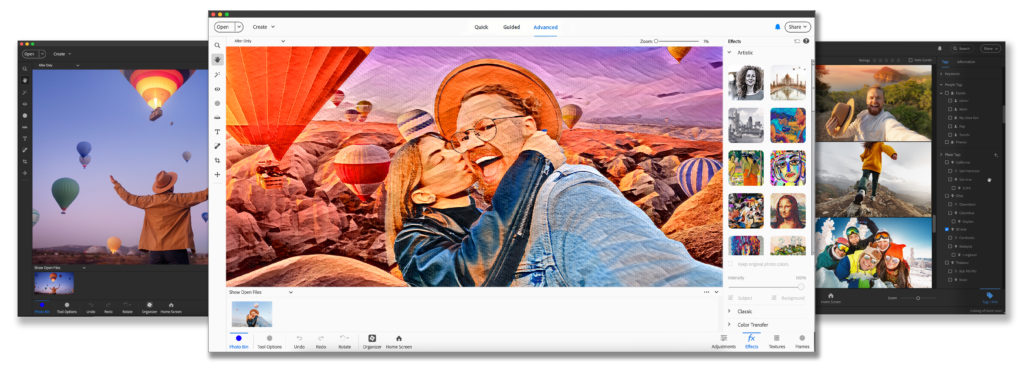
The first change you'll notice is the all-new interface. Adobe has upgraded Elements with modern fonts, icons, buttons, and colors that are easier on the eye. The tool icons in Elements now match up with the tools in Photoshop or Premiere for more consistency across the programs. You can choose from light and dark mode options, so you can go over to the dark side or stay with the light and bright interface you are used to. Those changes apply to the Photo Editor, Organizer and Video Editor seperately, which is a nice touch.
Are you going to join the dark side? Let me know in the comments if you are team light ☀️ or team dark 🌑
You'll see another couple of other changes in the interface. Expert Mode is now called Advanced Mode.


Plus the confirmation icons for edits have changed. No more green ticks and red cancel signs! Now the apply and cancel buttons are bright blue check mark and cross respectively.
The type tool now has filler text (Lorem Ispum) so you'll never 'lose' your type in your PSD again!
AI Powered Features
There's no doubt AI is the flavour of the month, there are 25 AI-powered features, video highlights, one click sky and background removal and jpeg artifacts removal. Photoshop Elements has used Adobe's Sensei engine for many years, for autocurate, video slideshows and open eyes in photos, but there's lots of new features this year.
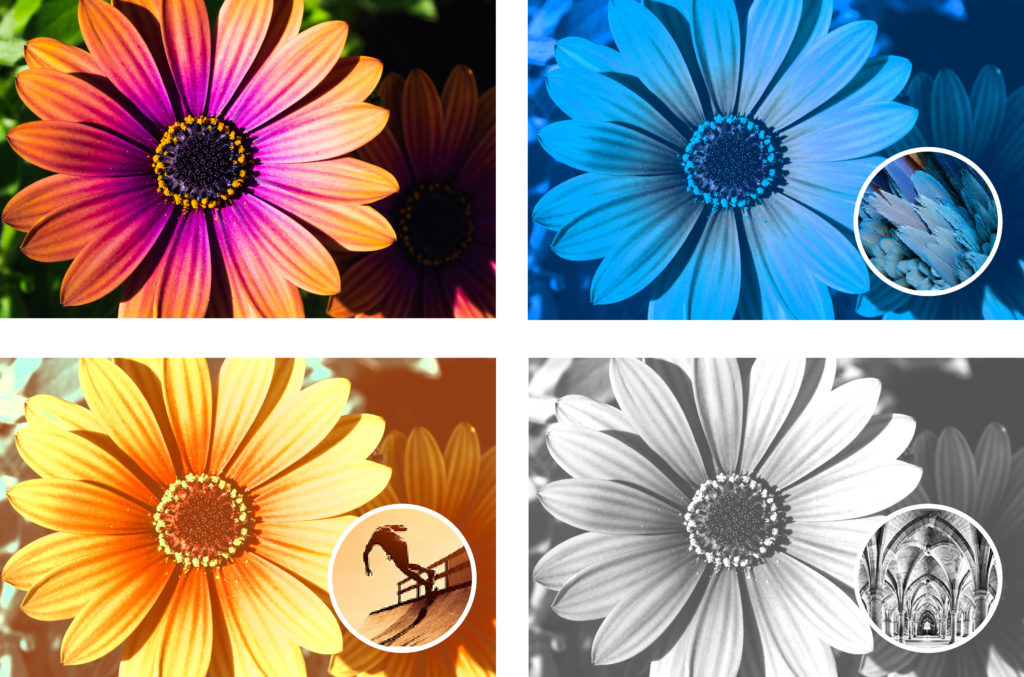
Color Match to match colors and tones
With Color Match from built-in presets or use a photo of your own, click once, and then fine-tune hue, saturation, and brightness. Color Match is available in the Quick and Advanced Edit modes.
Create and share fast-moving Photo Reels
Reels zip through your favorite shots, each with its own text, effects, and graphics. Now, with new Photo Reels, you can save them as MP4s or GIFs for easy sharing on all your favorite social platforms.

Powered by Adobe AI, new automatic selections make it simple to enhance or replace just one area of a photo. Adding the to the existing select subject option, you can now select just the sky or the background of a photo with the options in the Select Menu and when using the Quick Select tool.

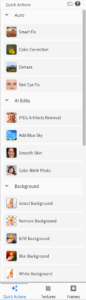
Discover one-click photo Quick Actions in one place
Popular one-click edits are now at your fingertips in Quick Edit Mode, making photo editing quicker and seamless. Instantly blur or remove a background, smooth skin, dehaze or colorize a photo, and more.
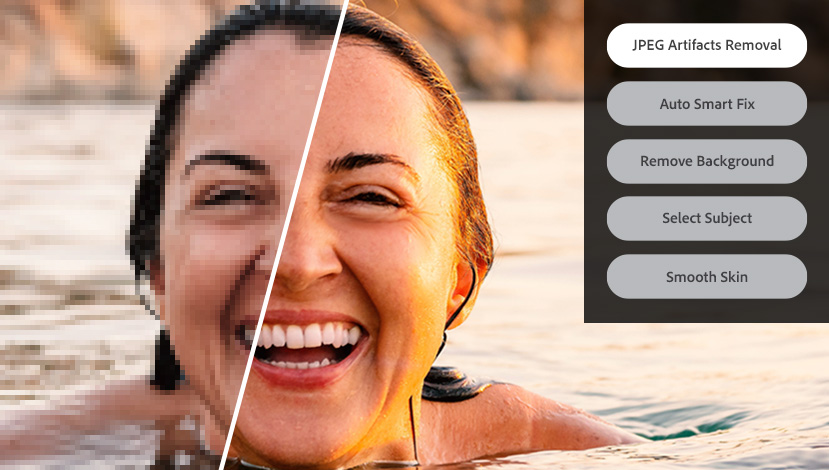
JPEG Artifact Repair
With Photoshop Elements 2024, you can remove JPEG artifacts for a smooth, natural look. Powered by Adobe AI, click once to enhance compressed JPEGs with this new option in the Quick Actions panel.
Grow your skills along the way with Guided Edits
You can make simple adjustments, custom creations, or eye-catching effects with 62 step-by-step Guided Edits in Photoshop Elements 2024. Here’s what’s new:

Create stylized photo text for shareworthy posts – Text options are now consolidated into an easy-to-follow guided edit, so you can style your posts in a matter of seconds.

Make your subjects stand out with new backgrounds in Guided Edits – Try fresh looks for your photos with new backgrounds in the Replace Background Guided Edit, new skies in the Perfect Landscape Guided Edit, and new patterns in the Pattern Brush Guided Edit.
Adobe Stock Integrations

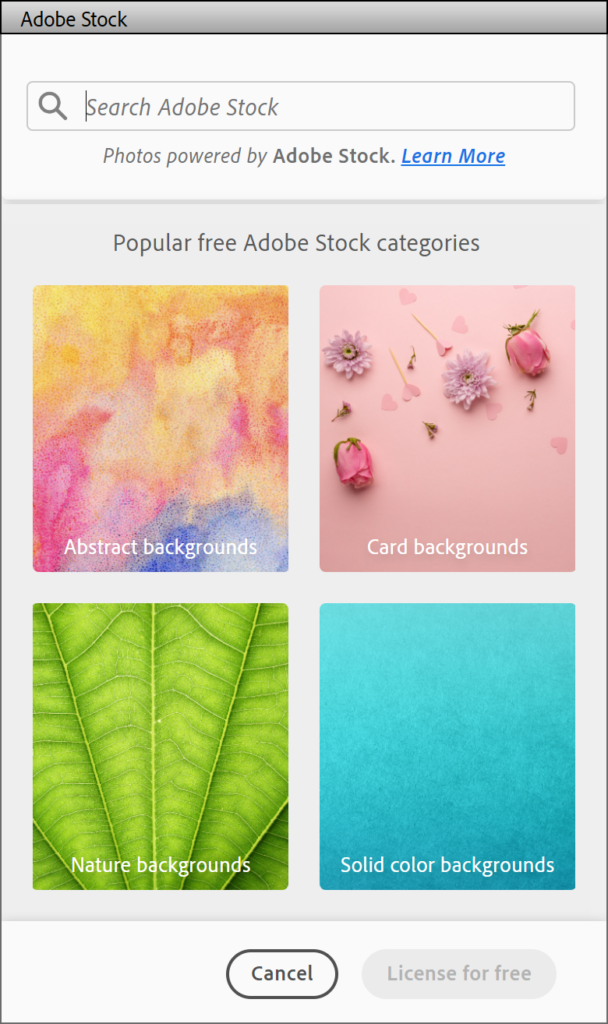
Access free Adobe Stock photos to expand your creative possibilities. Try a new background, make a collage, or create an inspiring Quote Graphic with access to thousands of beautiful stock photos from right inside Photoshop Elements. You can access the Adobe Stock integrations in the file menu under Search Adobe Stock, the Graphics Panel and Quote Graphic.
New Artistic Effects

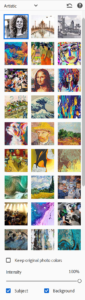
Turn photos into art with new Artistic Effect options. Powered by Adobe Adobe AI, just click to add effects inspired by famous works of art or popular art styles.
Find these effects in the Effects panel by clicking on the Effects button (F2) in Quick or Advanced Mode.
Photoshop Elements 2024 is Available Now

Photoshop Elements 2024, Premiere Elements 2024 and a discounted bundle of the two are available on Adobe.com, Amazon and other retailers.
For a complete list of what’s new, please visit the Photoshop Elements 2024, Premiere Elements 2024 or Photoshop Elements 2024 & Premiere Elements 2024 web pages.
Watch this space for upcoming videos covering, whether you should upgrade to Photoshop Elements 2024, plus the new features in the Organizer, Web Companion App and Premiere Elements!
Are you ready to buy? You can use my Amazon link if you are new to Photoshop Elements (I earn commission as an Amazon affiliate), but to get upgrade pricing, head direct to Adobe's store.
Let me know in the comments which feature you are most excited about!

PS Pin this for later!
I am an Amazon affiliate so may receive a commission if you make a purchase.
This post contains affiliate links. This means that if you click through that link and purchase an item, I may receive a commission for referring the sale.
I only recommend classes and products that I know and trust. Thank you for using my link if you decide to purchase.
Melissa Shanhun is a participant in the Amazon Services LLC Associates Program, an affiliate advertising program designed to provide a means for me to earn fees by linking to Amazon.com and affiliated sites. As an Amazon Associate I earn from qualifying purchases.


Leave a Reply