Recently I got asked to share my favourite keyboard shortcuts in Photoshop Elements. Here's my top 10!
- Ctrl+N Create a new file
- Ctrl+S Save your work all the time!
- Ctrl+G Create clipping mask, clips your paper to a shape
- Ctrl and + Zoom In (or + on the Numeric Keypad)
- Ctrl and - Zoom Out (or – on the Numberic Keypad
- Ctrl + 0 Fit your whole image on the screen
- Hold down space bar - Switches you temporarily to the hand tool to move around in your image
- Ctrl+Z Undo your last action
- Ctrl+T To transform a layer (resize rotate etc)
- Ctrl+Shift+[ Move the selected layer to top of layer stack (great for when your paper vanishes!
 Free Printables
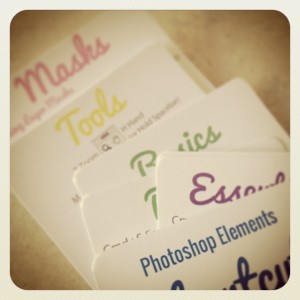
I have all the tools plus a selection of my favorite shortcuts here.
Download free shortcut cards now
More Shortcuts?
Adobe provides all the shortcuts in its online help. Here's the link for Photoshop Elements keyboard shortcuts
Or if you like your shortcuts in music video form... here's Deke McClelland.
Please note, this video is from 2008 and focuses on Photoshop, so if you are frantically trying to learn all 101, there's a few that don't work in Photoshop Elements. Oh, and some language.
BUT it's still a fun watch!
Learn more about keyboard shortcuts
Frustrated as a slow scrapper? Want to be more comfortable in Photoshop Elements? I can help!
- Want to scrapbook more quickly?
- Want perfect photobooks every time?
- Tired of resizing to share online?
- Wish you knew all the insider shortcuts?
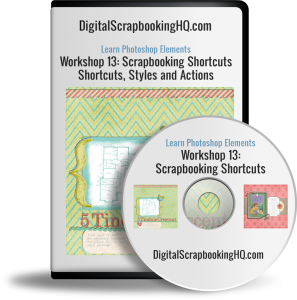
Join me to learn about shortcuts, scripts and actions that will get you finishing pages in no time!
Just $20

30-day money back guarantee:
I am an Amazon affiliate so may receive a commission if you make a purchase.


Ctrl+J to duplicate a layer and Ctrl-V to paste an element
Thanks for sharing! 🙂 They are handy ones too
Love the video! Thanks for sharing that! But I want to caution people that the keyboard shortcuts in the video are for full Photoshop. Some of them are different in Elements.
🙂 It’s a hoot!
You are right – it’s Photoshop, so there’s about 20 or so that don’t work in PSE. It’s actually a few years old so some of the shortcuts in Photoshop have changed too!
I’ll just jump in and add a disclaimer now 🙂
I have to say the Ctrl Z is my favorite, but I am still learning most so that will likely change with time. Mercy there are a lot of them to learn aren’t there? If they weren’t such helps I probably wouldn’t give it much thought, but your ABC’s was so good. The newest for me to use several times was Ctrl J, so little by little I use more.
🙂 I love Ctrl Z too!! 🙂